
From a few plain words to a teammate that answers
You describe the job, KingdomBots sets up the bot, and nothing goes to an AI service until you say yes.
KingdomBots is in private beta for macOS. Windows is in progress, and there is no public download yet. The pictures below come from a preview build with sample data.
-
Your personal space is made for you
On first start, KingdomBots sets up your own space automatically. There is no folder to pick and no account to make. Your bots, chats and history are kept in a database on your own computer.
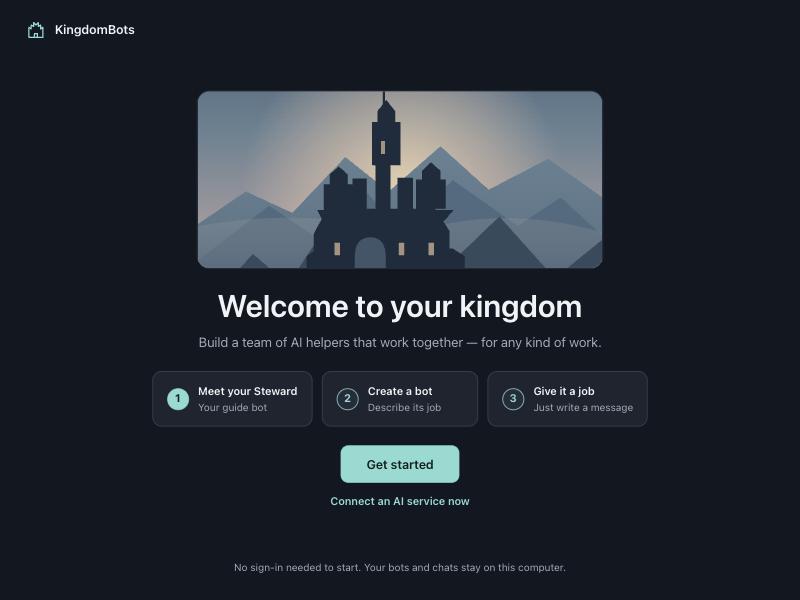
First start. Your space is ready, no folder to pick. Preview build, sample data -
Pick a starter or describe a role
Choose a ready-made starter such as research, writing, planning or support, or describe the job in your own words. Any role works: “answers questions about our menu”, “turns my notes into a weekly plan”.
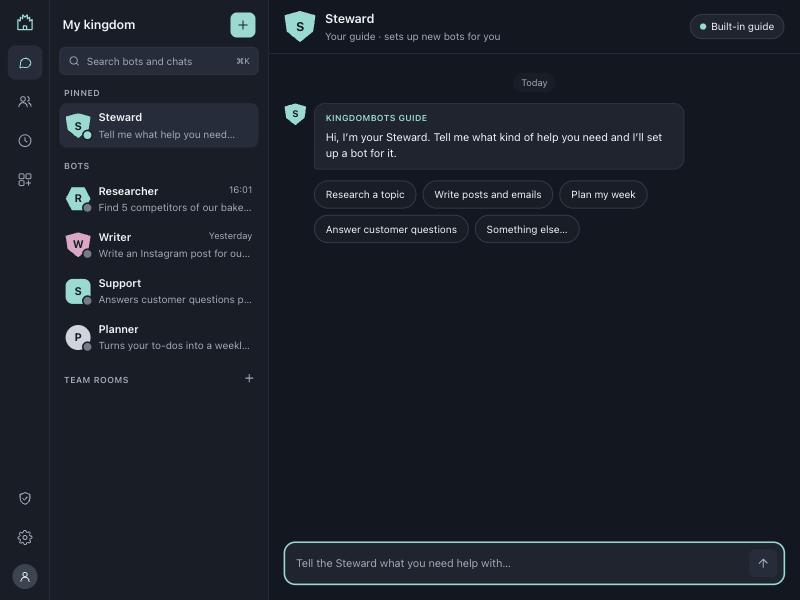
Starters. Pick one, or describe any role in your own words. Preview build, sample data -
Edit the bot and save it
KingdomBots drafts the bot from your words. Change its name, job, picture and instructions until it reads right, then save. Nothing runs while you edit.
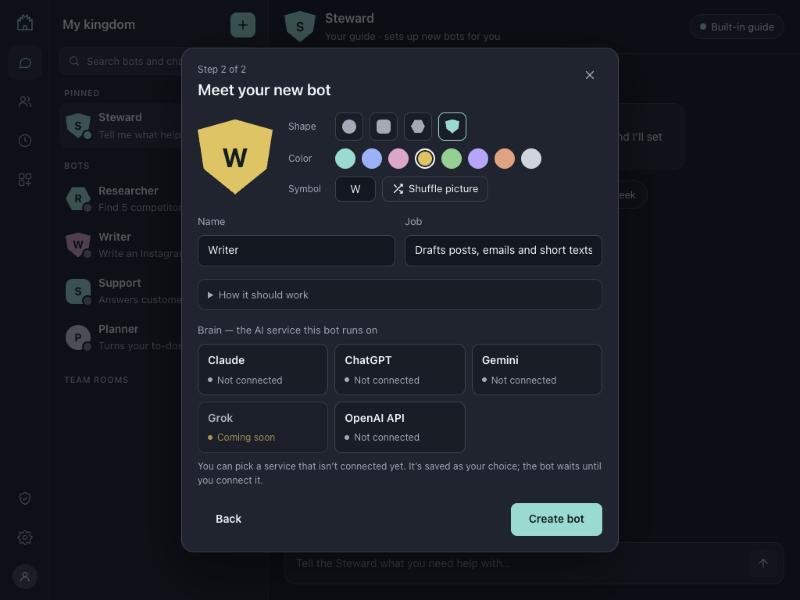
Your new bot. Change the name, job, picture and instructions, then save. Preview build, sample data -
Type a request
Open the bot’s chat and write what you need, as you would to a colleague. Bots answer through Claude using your own Anthropic API key, which you add once. It is stored in the macOS Keychain and never shown in the app. You pay Anthropic directly for what you use — see Anthropic’s pricing.
-
Your Mac asks first
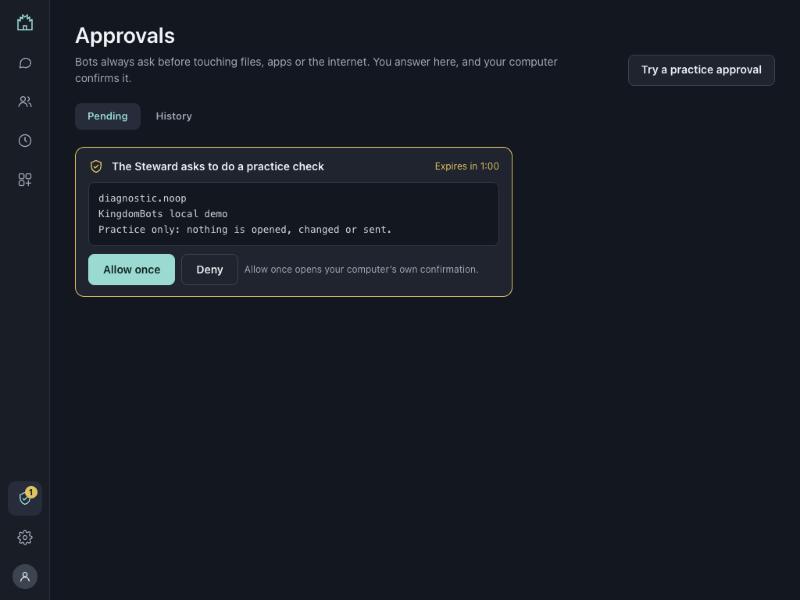
The first time a bot sends a chat, your Mac shows its own approval window: allow this bot to send this chat to Anthropic for 30 minutes? It names where the chat goes and what is sent. Choose “Don’t allow” and nothing is sent. The approval ends after 30 minutes.
-
The reply is clearly labelled
The answer appears in the chat marked as an AI reply from Claude, so you always know which words came from the AI. If a reply can’t be made, the chat says why in plain words.
Approvals and teams
Approvals
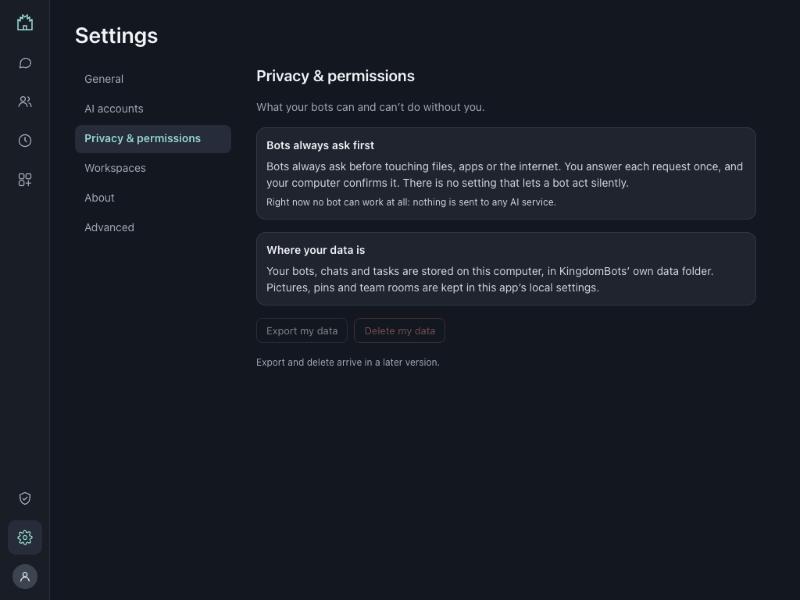
Nothing goes to an AI service until you approve it. The approval comes from your computer itself, not from a button a bot could press, and it lasts 30 minutes. There is no setting that lets a bot skip it.
Teams and hand-offs
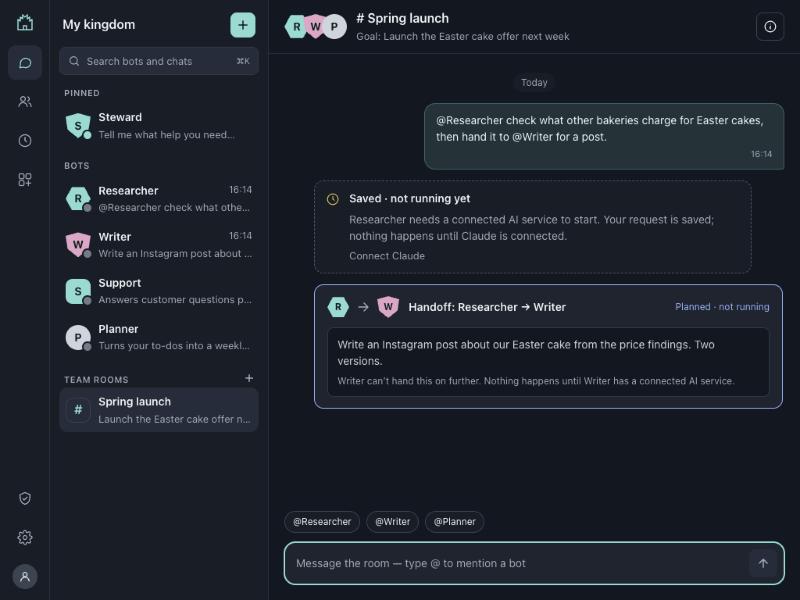
Bots can plan a one-step hand-off to another bot, for example from a researcher to a writer. The hand-off is recorded and you approve it. It never runs on its own.
What’s not here yet
We would rather say “not yet” than promise something the app can’t do.
| Feature | Status |
|---|---|
| Sign in with ChatGPT | Waiting Built, switched off, waiting for OpenAI’s approval. |
| Windows build and Windows key storage | In progress |
| Bots running tools or touching files on your computer | Not available |
| Connected work apps (mail, calendar, docs…) | Not available |
| Scheduled routines | Drafts only You can draft them; they do not run. |
| Automatic bot-to-bot hand-offs | Not available Every hand-off waits for you. |
Questions people ask
Do I need to pay?
Making and saving bots needs no account, sign-in or key. For bot replies, you use your own Anthropic API key, and you pay Anthropic directly for what you use — see Anthropic’s pricing.
Can I use my Claude subscription?
Not today, and we’re sorry about that. Anthropic doesn’t allow other apps to use a Claude.ai plan or its sign-in, so KingdomBots can’t offer it. Instead, bots use your own Anthropic API key, and you pay Anthropic directly for what you use.
Can I use ChatGPT?
Not yet. Sign in with ChatGPT is built into the app but switched off while we wait for OpenAI’s approval. Until then the ChatGPT option says it is waiting and never contacts OpenAI.
Where is my key kept?
In the macOS Keychain, on your own Mac. The app never shows it, and there is no KingdomBots server to send it to. Key storage on Windows is in progress.
Can bots act on my computer?
No. Bots can’t run tools, open apps or touch your files. They only write replies in chat, and a reply is shown to you, never carried out.
Can bots work together?
A little, and only with you. A bot can plan a one-step hand-off to another bot. The hand-off is recorded and you approve it; it never runs on its own. Automatic hand-offs between bots are not available.
Is my data used for training?
KingdomBots collects nothing: there is no KingdomBots account or server, and your bots, chats and history stay in a database on your computer. This website has no cookies, no analytics and no forms.
When you approve a chat, it goes to the AI provider, and the provider’s own terms apply. Read Anthropic’s commercial terms and privacy policy, and, once Sign in with ChatGPT is approved, OpenAI’s policies. See also our privacy notice.
Does it work on Windows?
Not yet. KingdomBots is in private beta for macOS, and the Windows build is in progress. There is no public download yet.